
⛳️ Building a Feature Flag System using Next.js, Prisma, and TRPC
Feature Flags, or Feature Toggles, is a powerful development approach allowing teams to modify system behavior without changing code.


Hello everyone.
I apologize for not sending out newsletters for the past few weeks. As a startup engineer, things have been busy lately. However, I want to assure you that I haven't forgotten about our newsletter community. I appreciate your understanding and patience during this time. I'm back now and excited to share some insights from my work.
In this newsletter, I want to discuss Feature Flags or Feature Toggles. This development approach allows teams to change system behavior without modifying code. There are different types of toggles, such as release toggles, experiment toggles, ops toggles, and permission toggles. In this blog post, you'll learn how to create your own Feature Flag system using Next.js, Prisma, and TRPC. Stay tuned for more in-depth explorations and analyses of the tech world.
introduction to technologies
Next.js: It's a React-based open-source development framework enabling server-side rendering and static site generation features.
Prisma: Prisma is a next-generation ORM for Node.js and TypeScript. It helps developers build faster and make fewer errors with an open-source database toolkit for TypeScript and Node.js.
TRPC: tRPC is a framework for building typesafe APIs, and it is agnostic to the transport layer. You could run tRPC with an adapter over HTTP, WebSockets, etc.
Prerequisites
Before we dive in, ensure you have a good understanding of JavaScript and a basic understanding of Next.js, Prisma, and tRPC. Familiarity with the concept of feature flags would also be helpful.
The Feature Flag Model
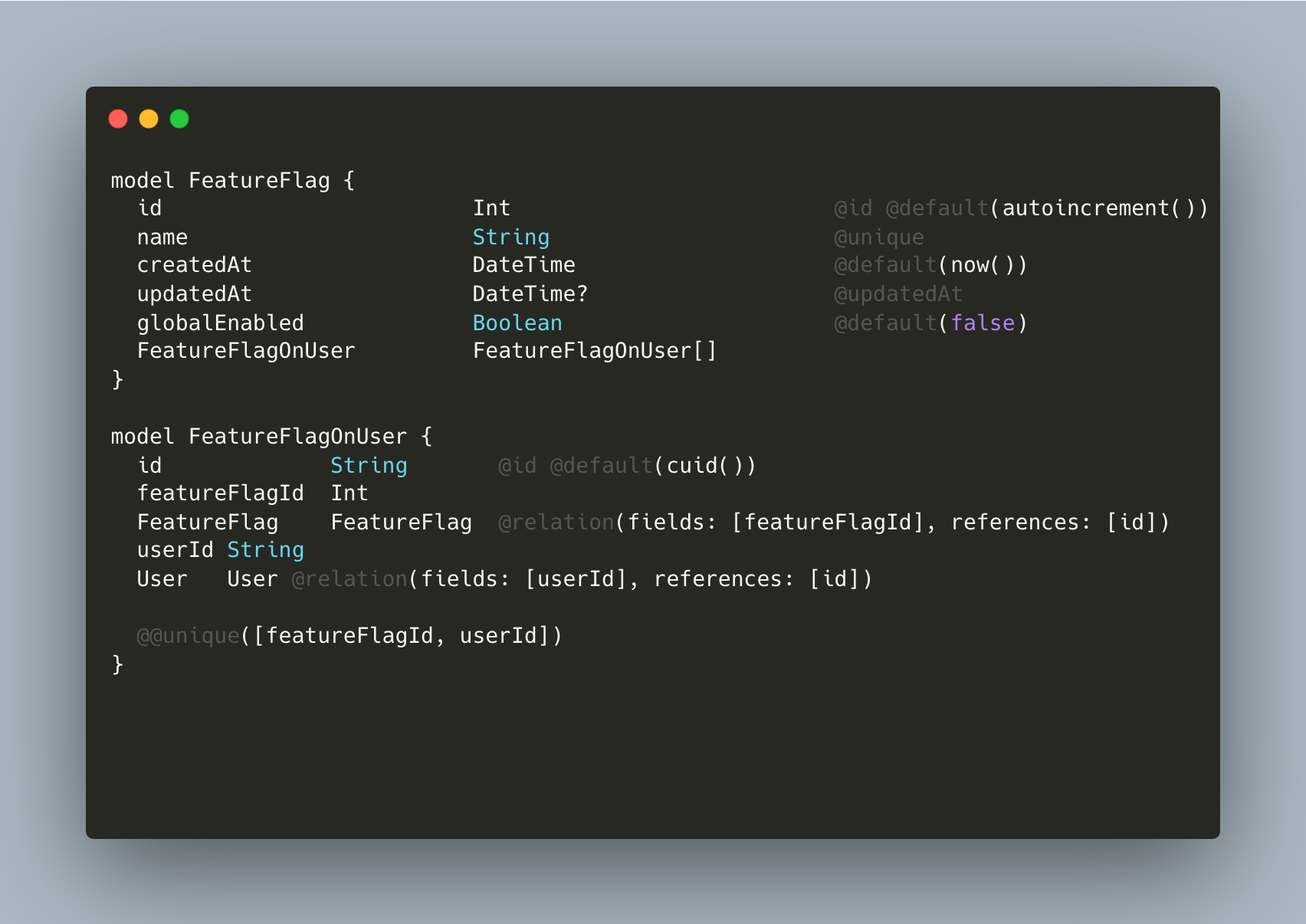
We'll start by setting up our Prisma model for Feature Flags. The Prisma schema will have two models, FeatureFlag and FeatureFlagOnUser. The FeatureFlag model has fields for id, name, createdAt, updatedAt, globalEnabled, and a relation to FeatureFlagOnUser. The FeatureFlagOnUser model has fields for id, featureFlagId, userId, and relation to the FeatureFlag and User models.
Here is how the Prisma model looks:
Querying Feature Flags with tRPC
Let's move on to querying the feature flags with the model in place. Our tRPC router handles this:
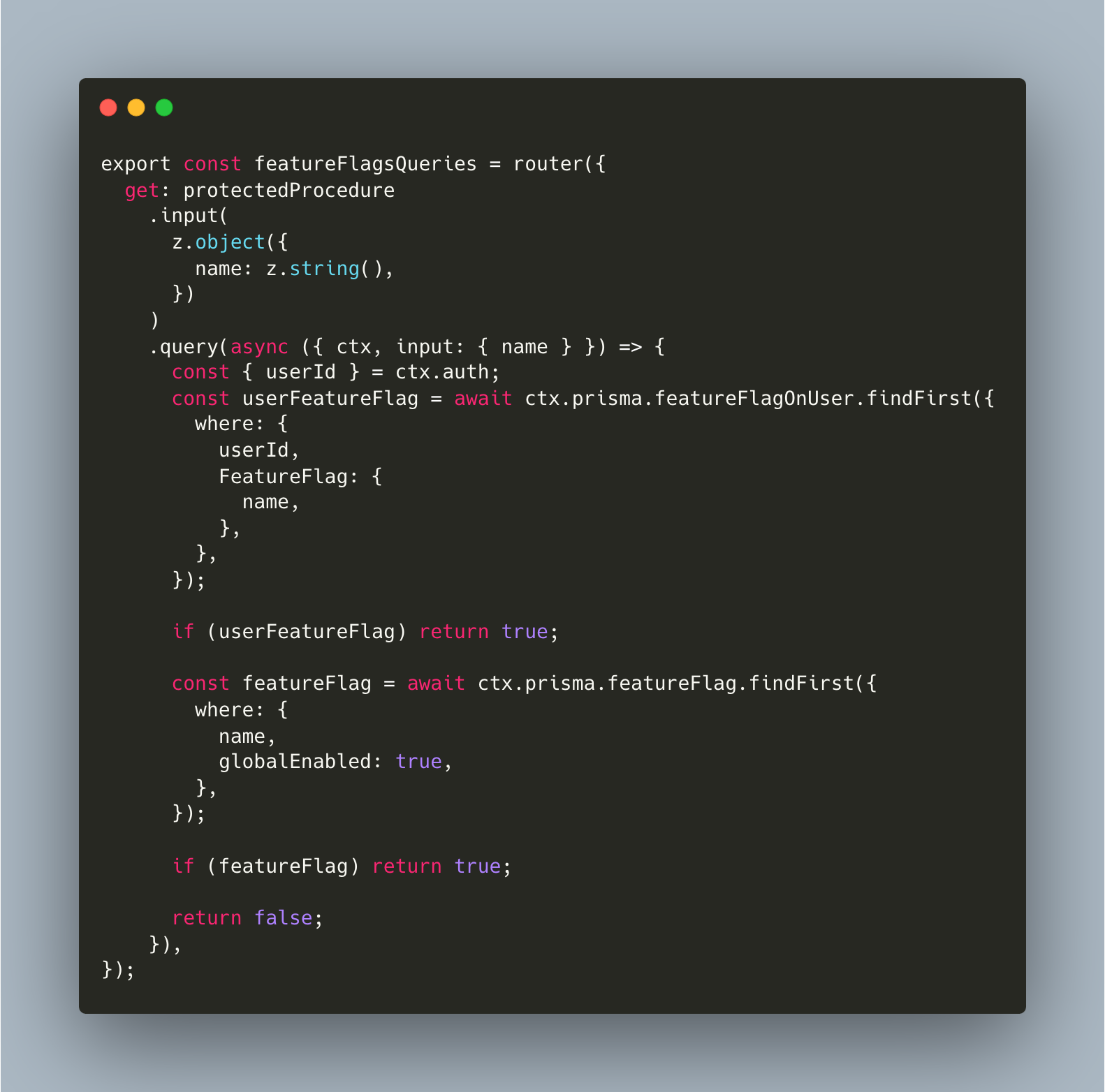
This router first checks if a feature flag exists for the user. If not, it then checks if a globally enabled flag exists. If neither condition is met, it returns false.
Creating the Feature Flag Middleware
The middleware checks if the feature flag exists and is enabled before calling the original getServerSideProps function. If the flag isn't enabled, it redirects the user:
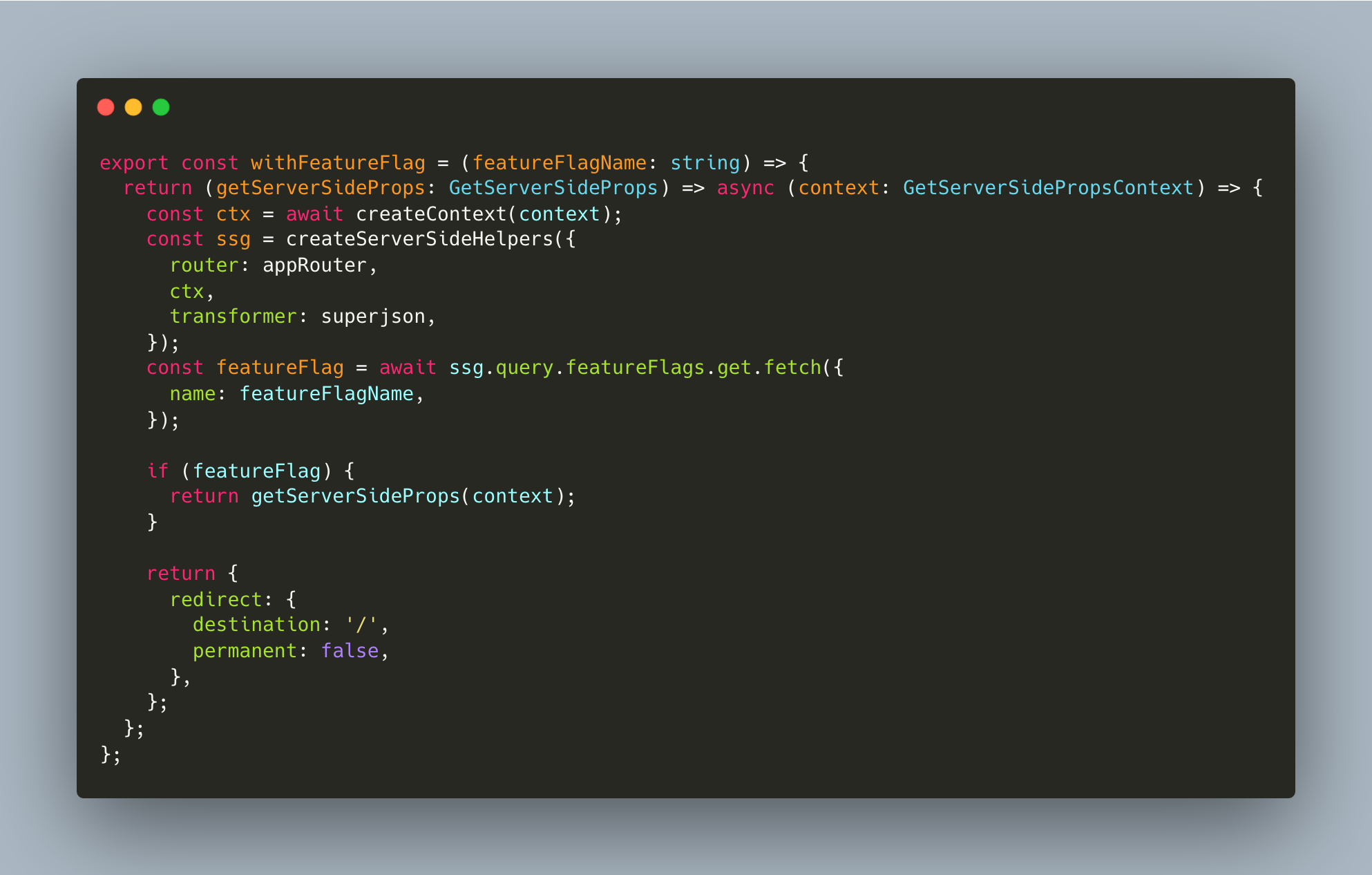
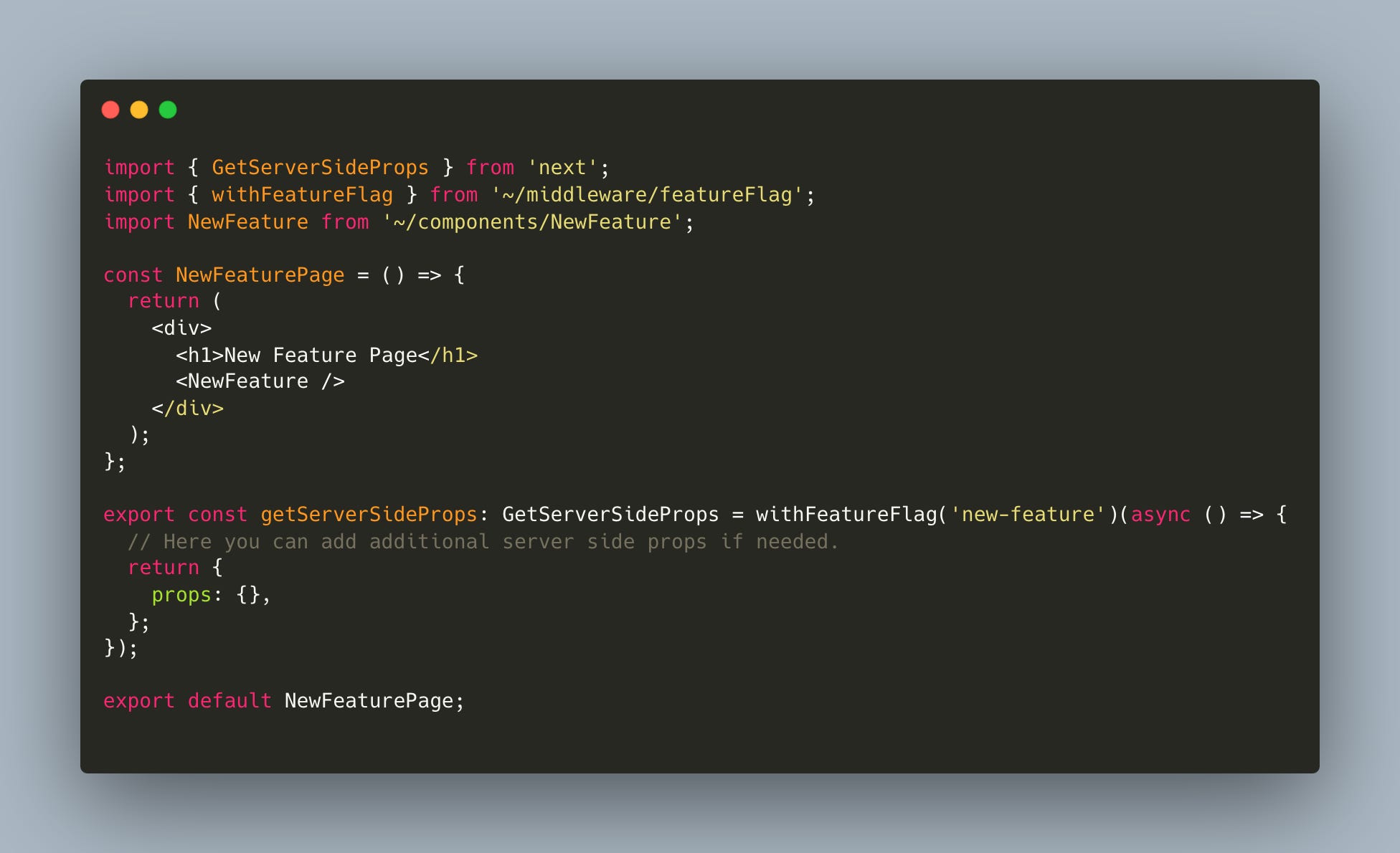
This middleware is incredibly helpful because it allows you to wrap pages fully and prevent them from being displayed if the feature flag is not enabled. For example, if you have a new page called "/new-feature" and only want specific users to view it, you can wrap the Next.js page with this middleware.
Utilizing the Feature Flag Hook
Finally, we have a custom React hook that you can use in your components to check the status of a feature flag:
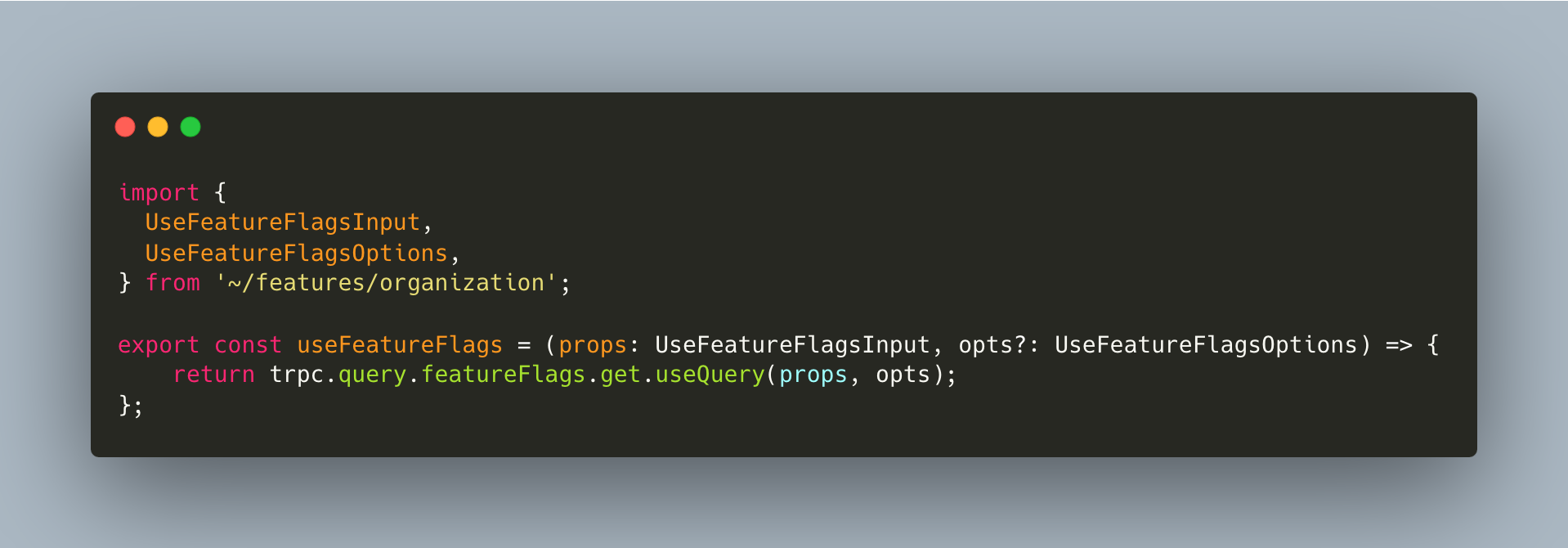
This hook uses the getFeatureFlag function to return the status of the feature flag.
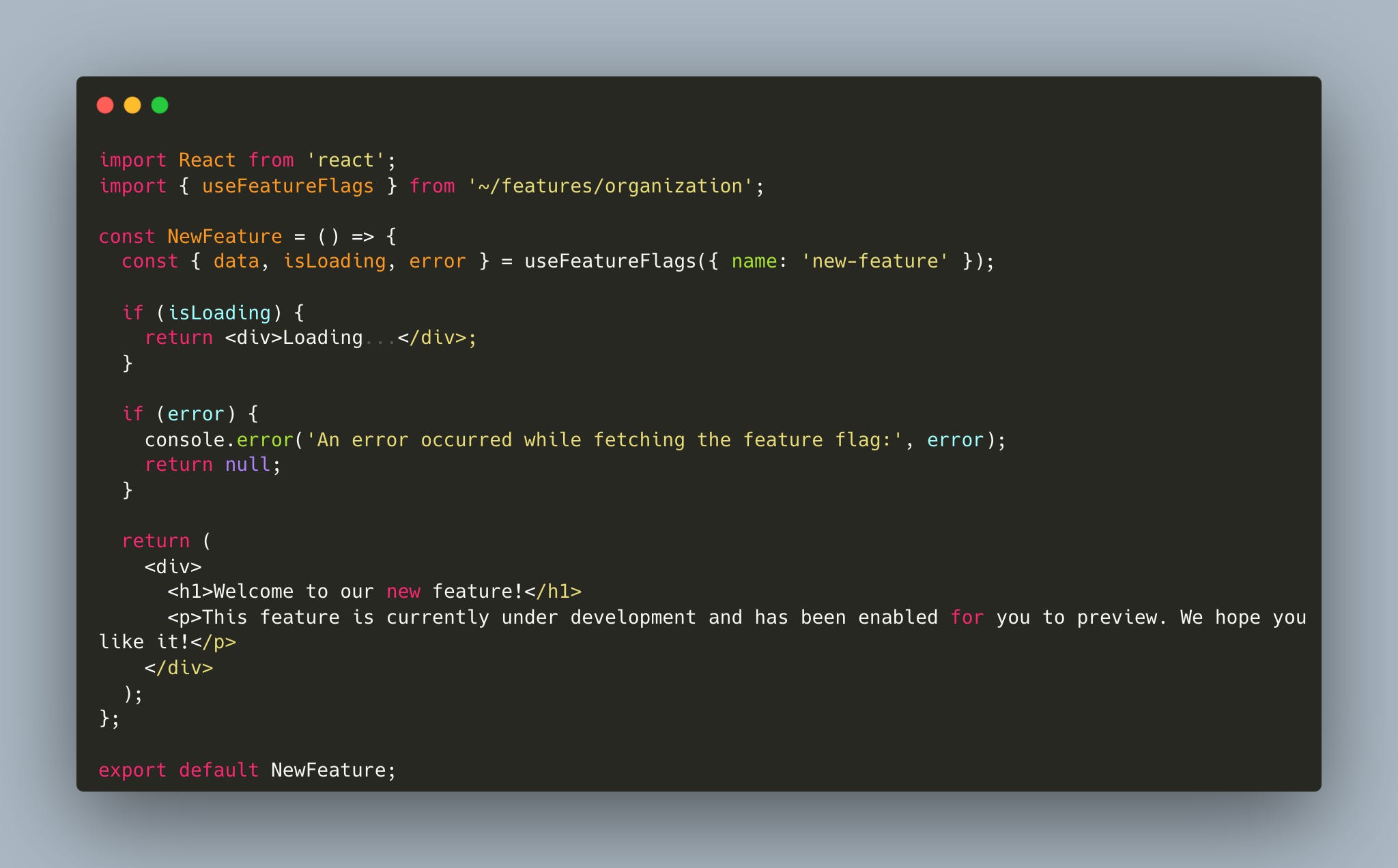
Here's an example of a React component.
Conclusion
Congratulations! You have successfully created a feature flag system that is both user-friendly and efficient, using Next.js, Prisma, and tRPC. With this system in place, you can effortlessly manage and activate features without going through your codebase repeatedly. This will undoubtedly enhance your development and release procedures.
We hope this tutorial has been helpful to you. We encourage you to experiment and customize the system to your specific needs. Have fun coding!
Very clean and simple implementation, great job! Just gave it a try and I'm kind of struggling with using the current session for the trpc query call. Since the `featureFlagsQueries` is built as a "protectedProcedure" how can the current user's session be included in the call. Should it be handled through the "createContext()" builder?